
Free Staff Rostering Online
Build and share rosters from any device. No downloads, no installation — just open your browser and start rostering. Get started for free.
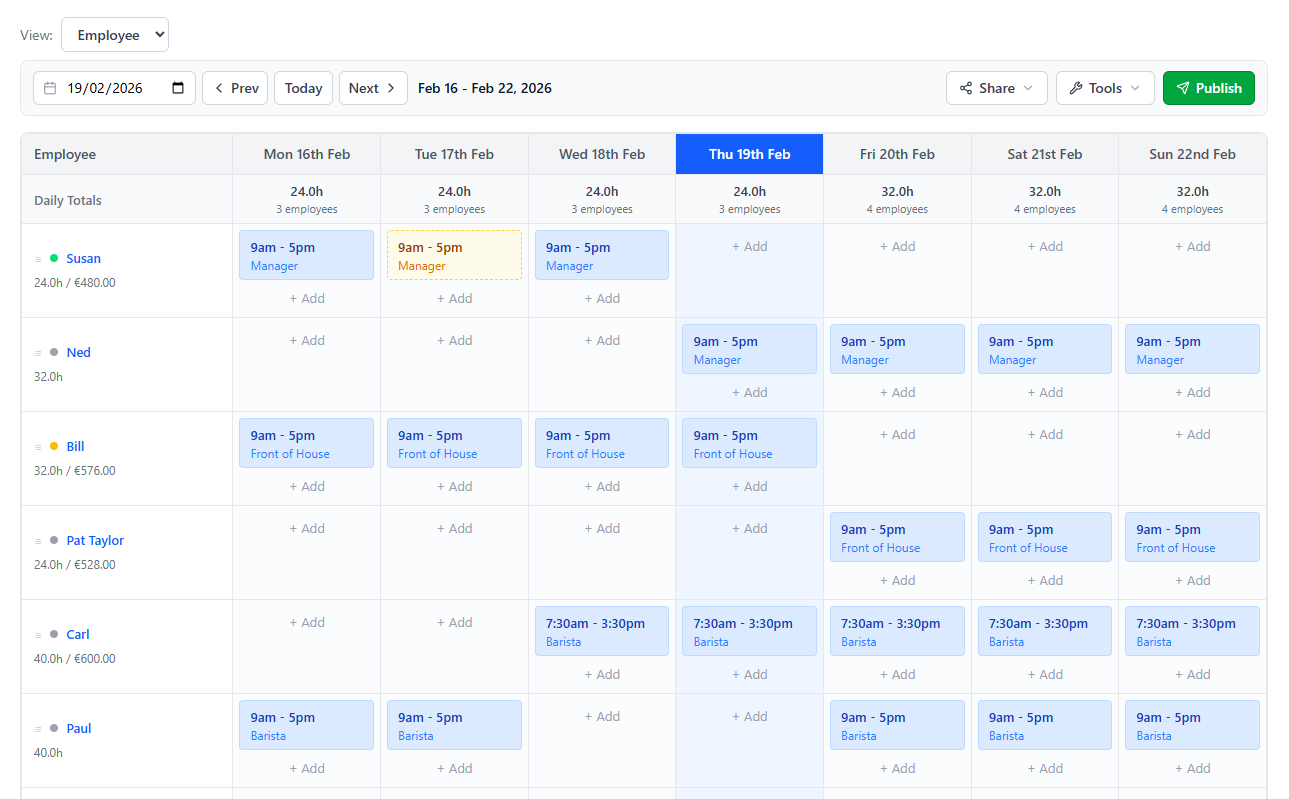
Cloud Rostering, Zero Hassle
Your roster lives online — accessible, shareable, and always up to date.
Access Anywhere
Create and view rosters from your laptop, tablet, or phone. All you need is a browser — nothing to install or update.
Copy Rosters Week-to-Week
Repeat last week's roster in one click and tweak only the changes. Save hours every week on recurring schedules.
Email & SMS Rosters
Send the full roster to your entire team via email or SMS, or individual schedules to each employee — directly from ScheduleBee.
Schedule History
Every roster is saved automatically. Browse past weeks any time for reference, audits, or payroll.

WORK FROM ANYWHERE
Roster your team from any location
Whether you're at the office, at home, or on the go, your roster is always one click away. No more emailing files back and forth.
- No software to install or maintain
- Real-time access on any device
- Automatic backups of every roster
- Share rosters with one click
- Works on Mac, PC, tablet & mobile
Frequently Asked Questions
No. ScheduleBee runs entirely in your web browser. There's nothing to download, install, or update — just sign up and start rostering.
Yes. You can invite staff members to create their own ScheduleBee account where they can view their upcoming shifts, rosters, and any updates you publish.
Your roster is saved automatically in the cloud. Once you reconnect, everything will be right where you left it. We recommend ensuring you have a stable connection while making edits.
Start rostering online — for free
No downloads. No credit card. Ready in under a minute.
Create Your Free Account