
Staff Rostering
Software Made Simple
Ditch the spreadsheets. Create, share, and manage staff rosters online with software built for small businesses. Create your free account today.
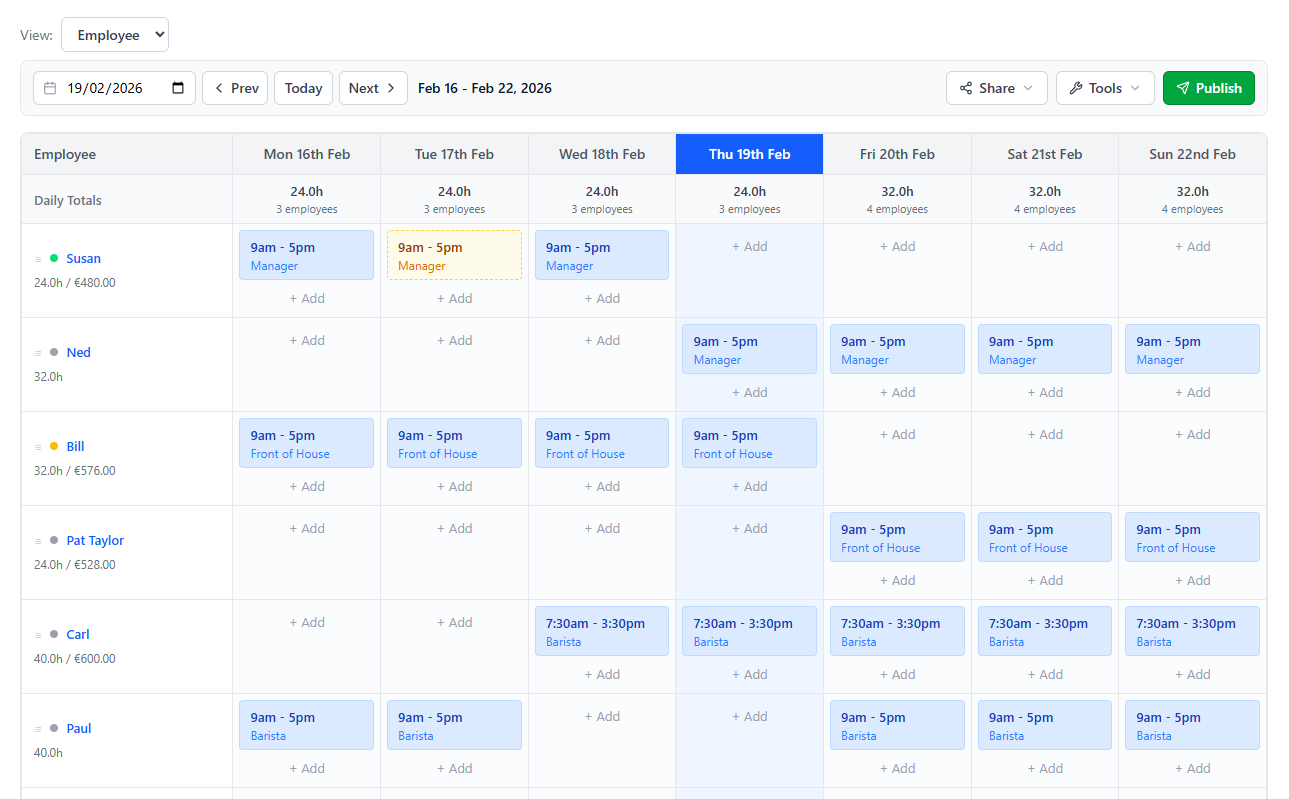
Everything You Need to Roster Your Team
Powerful rostering tools that are easy to learn and quick to set up.
Drag & Drop Shifts
Build rosters visually. Add and rearrange shifts on an intuitive weekly grid that shows your entire team at a glance.
One-Click Publishing
Publish rosters and notify your team by email or SMS instantly. No copy-pasting into separate emails or group chats.
Roles & Positions
Organise staff by area or position. See who's assigned where and ensure every role is covered before you publish.
Staff Permissions
Give managers edit access, let employees view their own rosters, or lock things down — you're in control.

WHY SWITCH
Replace spreadsheets with smarter rostering
Spreadsheets break when your team grows. ScheduleBee gives you a purpose-built roster that's faster to create, easier to share, and impossible to lose.
- No formulas or formatting to manage
- Changes update instantly for your team
- Access your rosters from any device
- Historical rosters saved securely online
- Free forever for small teams
Frequently Asked Questions
Unlike spreadsheets, ScheduleBee is purpose-built for rostering. You get a visual weekly grid, one-click publishing to your team via email or SMS, role and position management, and automatic history — no formulas or formatting required.
You can start building your roster immediately after signing up. Simply add your staff members and begin assigning shifts. Most teams are fully set up within minutes.
Absolutely. All data is encrypted in transit and at rest on secure servers. Your rosters are backed up automatically and accessible only to you and the staff you choose to invite.
Ready to ditch the spreadsheet?
Free forever for up to 5 staff. No credit card required.
Create Your Free Account