
Scheduling Software
for Nurses
Create nursing rosters in minutes. Assign wards, manage shift patterns, and keep your healthcare team informed and organised. Get started free today.
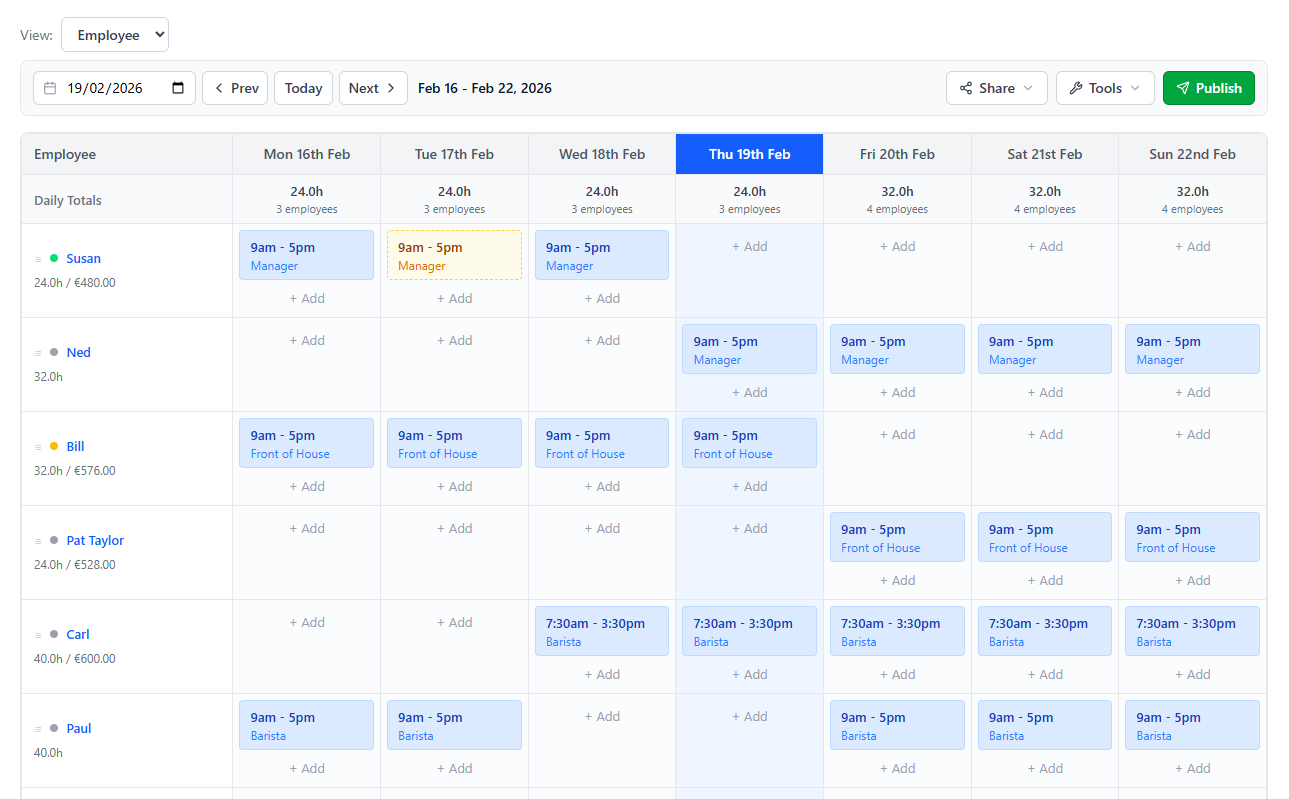
Rostering Designed for Healthcare
Keep your nursing team organised with schedules that are clear, shareable, and easy to update.
Ward & Unit Assignment
Assign nurses to specific wards, units, or departments for each shift. See full coverage at a glance.
Shift Pattern Support
Morning, afternoon, night — create any shift pattern. ScheduleBee's flexible grid handles rotating and fixed schedules alike.
Instant Notifications
Publish your schedule and notify nurses by email or SMS. No more notice boards or WhatsApp groups — everyone gets their roster directly.
Roster History
Access past rosters any time for payroll, compliance, or audits. Every schedule is saved and searchable.

HEALTHCARE SCHEDULING
Designed with healthcare teams in mind
Nursing rosters need to be accurate and accessible. Gaps in coverage can impact patient care. ScheduleBee helps you build reliable schedules that keep your team and your patients covered.
- Assign nurses to wards and units
- Handle rotating and fixed shift patterns
- Publish and share rosters by email or SMS
- Track past schedules for compliance
- Free for small healthcare teams
Frequently Asked Questions
Yes. ScheduleBee's weekly grid lets you create any shift pattern — fixed, rotating, or mixed. You can also copy a previous week's roster and adjust it, which makes rotating patterns fast to set up.
Use ScheduleBee's roles and areas feature to create wards, units, or departments. When adding a shift, assign the nurse to the relevant ward so the full team can see coverage across all areas.
ScheduleBee provides a clear, auditable record of all published rosters. Past schedules are saved securely and can be accessed at any time for compliance reviews, payroll verification, or internal audits.
Simplify your nursing schedules
Free for teams of up to 5 nurses. Get started in under a minute.
Create Your Free Account