
Employee Scheduling
Software That Works
Plan shifts, manage time-off, and keep your whole team on the same page — all from one simple dashboard. Start scheduling for free.
Scheduling Built for Real Teams
Stop juggling messages and spreadsheets. Give your team one clear schedule.
Visual Shift Planner
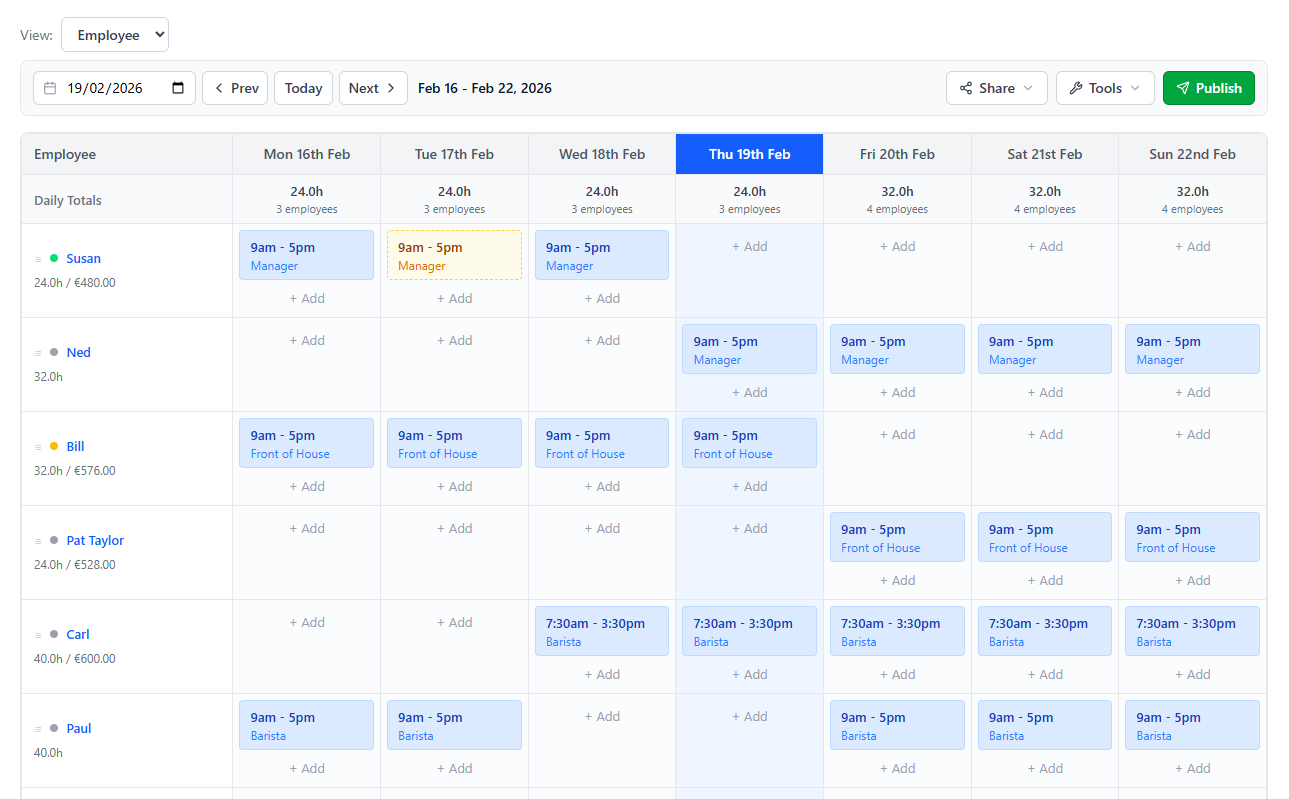
See your full week on one screen. Add shifts for any employee, adjust times, and spot gaps before they become problems.
Time-Off & Breaks
Track time-off requests and break entitlements alongside shifts so nothing falls through the cracks.
Team Notifications
Publish your schedule and notify staff by email or SMS. Everyone sees the latest version — no more "I didn't get the memo" excuses.
Flexible Permissions
Let senior staff edit their own schedules, give managers full access, or keep everything locked to admins only.

BETTER SCHEDULING
Scheduling that adapts to your team
Every team is different. ScheduleBee gives you the flexibility to schedule your way — whether you manage five people or fifty.
- Plan shifts, breaks, and time-off in one place
- Publish and notify your team instantly
- Adjust schedules on the fly from any device
- Give the right people the right level of access
- Free to use for teams of up to 5
Frequently Asked Questions
Managers can record time-off entries directly on the schedule grid. Staff members with the appropriate permissions can also add their own time-off, which managers can then review.
Simply click publish. ScheduleBee will email or SMS updated schedules to all affected staff, or you can send individually. Staff can also log in to view their latest roster at any time.
Yes. You can create any shift pattern — mornings, afternoons, nights, split shifts, or anything in between. The flexible weekly grid lets you assign custom start and end times for every shift.
Simplify your employee scheduling
Free for teams of up to 5. No credit card needed to get started.
Create Your Free Account